


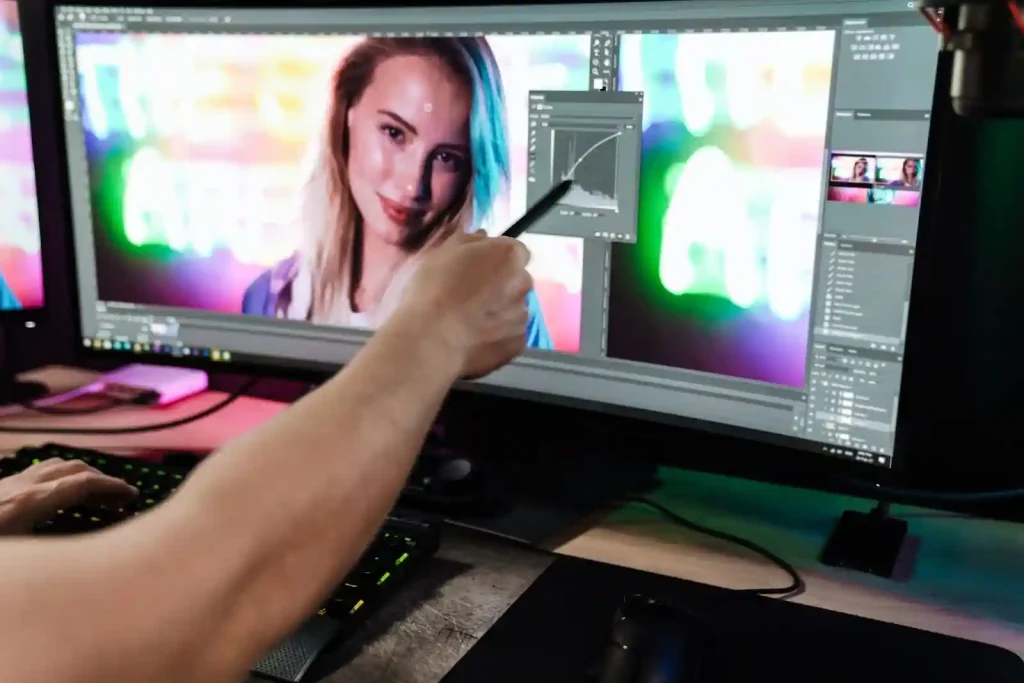
Non-destructive editing is no longer a preference. It is a professional requirement for photographers who care about long-term image quality, flexibility, and archive value. Modern workflows demand edits that can evolve without degrading the original file. When images are revisited months or years later, the ability to reinterpret them without loss becomes critical. This is where non-destructive editing proves its real value beyond convenience.
Understanding Non-Destructive Editing Principles
At its core, non-destructive editing separates creative decisions from image data. Instead of altering pixels, edits are stored as instructions applied during rendering. This approach protects the original file and allows unlimited revisions. It also supports consistency across projects and teams. When applied correctly, non-destructive editing becomes the backbone of reliable editing best practices.
RAW Files as the Editing Foundation
RAW files are the starting point of any serious non-destructive workflow. They retain maximum sensor data, offering greater dynamic range and color depth. This additional information provides freedom to push adjustments without breaking the image. JPEG files limit flexibility early, while RAW files keep creative options open throughout the editing lifecycle.
RAW Data and Image Longevity
Higher bit depth allows smoother tonal transitions and safer exposure recovery. When older images are reopened, RAW files respond better to modern processing engines. This makes them essential for long-term photo preservation. The untouched sensor data acts as a digital negative, protecting image quality across software generations.
Choosing the Right RAW Format
Proprietary RAW formats offer full camera compatibility but raise long-term access concerns. DNG provides better archival stability and embedded metadata support. Converting to DNG can simplify storage and future-proof catalogs. However, photographers must weigh conversion time against workflow efficiency.
Catalog-Based vs File-Based Editing
Editing systems store non-destructive instructions differently. Choosing the right structure impacts scalability and security. Understanding both models helps photographers align workflow choices with real-world demands.
Lightroom Catalog Workflows
Catalog-based systems centralize edits, previews, and metadata. They offer powerful organization and fast searching. However, catalogs require disciplined backups. Corruption or loss can disrupt entire libraries if not protected properly.
File-Based Editors Explained
File-based editors rely on sidecar files or embedded metadata. This approach improves portability and collaboration. Each image carries its edits independently. While organization may require more effort, the risk is distributed across files instead of being centralized.
Smart Use of Adjustment Layers
Adjustment layers are essential for advanced non-destructive editing. They allow tonal, color, and contrast changes without touching pixel data. Proper layer use also improves clarity when revisiting complex edits.
Layer Order and Edit Logic
Layer sequencing affects both results and flexibility. Global adjustments should sit below local refinements. This structure prevents conflicts and simplifies troubleshooting. Logical ordering also helps collaborators understand editing intent quickly.
Masking for Precision Edits
Masks enable selective adjustments while preserving surrounding areas. They reduce the need for duplicated layers and destructive retouching. Precision masking supports realistic results, especially in portrait and environmental photography.
Non-Destructive Color Management
Color decisions have long-term consequences. Non-destructive workflows allow color interpretations to change without rebuilding edits. This flexibility is vital as trends, clients, and display technologies evolve.
Profiles vs Presets
Profiles redefine how RAW data is interpreted at the base level. Presets apply adjustment layers on top. Starting with a neutral or camera-matched profile provides a stable foundation. Presets should enhance, not compensate for poor profiling.
Consistent Color Across Time
Monitor calibration and consistent color spaces protect accuracy. Export profiles should match final use cases. Maintaining consistency ensures that archived images remain reliable references for future projects.
Retouching Without Permanent Damage
Advanced retouching often risks destructive edits. Non-destructive methods protect realism while allowing refinement. This balance is critical for professional-quality results.
Healing Layers and Frequency Separation
Performing retouching on separate layers preserves original texture and tone. Frequency separation, when used carefully, allows targeted corrections without flattening detail. This technique supports controlled experimentation.
Avoiding Pixel-Level Edits
Direct pixel edits should be isolated or avoided entirely. When unavoidable, they should be contained within smart objects or duplicated layers. This approach limits irreversible damage and preserves editing flexibility.
Metadata, Keywords, and Edit History
Metadata is part of photo preservation. It provides context, ownership, and searchability. Ignoring metadata weakens long-term value and workflow efficiency.
Preserving Edit Context
Ratings, keywords, and notes document creative intent. They help photographers understand past decisions and maintain consistency. This is especially important when managing large archives or team-based projects.
XMP and Edit Portability
Sidecar files store non-destructive edits externally. They allow edits to travel between systems and software. Backing them up is as important as backing up image files.
Versioning Without Duplication
Multiple interpretations do not require multiple files. Non-destructive workflows support efficient version control without storage waste.
Virtual Copies and Snapshots
Virtual copies allow creative exploration without duplication. Snapshots preserve milestones within a single file. Together, they support experimentation while maintaining organization.
When Physical Copies Make Sense
Exported copies are justified for client delivery or final archives. These versions should remain separate from editable masters. Clear labeling prevents confusion and accidental overwrites.
Backup Strategies for Edited Files
Backing up images alone is insufficient. Non-destructive edits must be protected alongside originals. A complete strategy considers all workflow components.
Catalog and Sidecar Backups
Catalogs and XMP files require regular backups. Automated systems reduce human error. Without them, years of editing decisions can disappear instantly.
Cloud vs Local Storage
Cloud backups offer redundancy and accessibility. Local drives provide speed and control. Combining both creates a resilient photo preservation strategy.
Common Workflow Mistakes to Avoid
Even experienced photographers make workflow errors. Identifying them early prevents silent damage to image libraries.
Overwriting Originals
Accidental, destructive exports often replace originals. Clear folder structures and export naming conventions prevent this mistake. Originals should always remain untouched.
Inconsistent Software Use
Switching tools without planning causes metadata loss and compatibility issues. Workflow consistency protects non-destructive benefits across platforms.
Applying Non-Destructive Editing in Real Projects
A practical way to evaluate non-destructive editing is to revisit a client project from several years ago and reprocess it using current standards. In one commercial case, a wedding photographer restored highlight detail and improved skin tones from older RAW files without quality loss because every adjustment was stored as reversible instructions. This process often reveals weak points such as missing XMP backups or earlier reliance on destructive retouching shortcuts. From a critical perspective, the exercise proves that non-destructive editing is less about software choice and more about disciplined workflow decisions. Photographers who treat every edit as temporary and context-aware create image libraries that gain value over time instead of slowly degrading.
Building a Future-Proof Editing Workflow
A strong non-destructive editing workflow is an investment. It protects image quality, saves time, and supports professional growth. By combining RAW editing, smart layers, metadata discipline, and reliable backups, photographers ensure their work remains flexible and valuable for years. Long-term success depends not on tools alone, but on intentional editing best practices applied consistently.